

 LinkBack URL
 About LinkBacks


 Beginners Eclipse Tutorial. How to run first java application on Eclipse?
Beginners Eclipse Tutorial
In this tutorial I will show you how to use the Eclipse IDE for the first time.
Firstly, download the latest version of Eclipse.
Eclipse Downloads
Here is a direct link to the download:
Eclipse downloads - mirror selection
Once its downloaded & installed, double click the Eclipse icon to start.
Because this is your first time running Eclipse, it will take a while to load as it sets up the environment.
Once Eclipse is fully loaded you will see the Welcome Screen. You can close this straight away..
OK now lets start our first application.
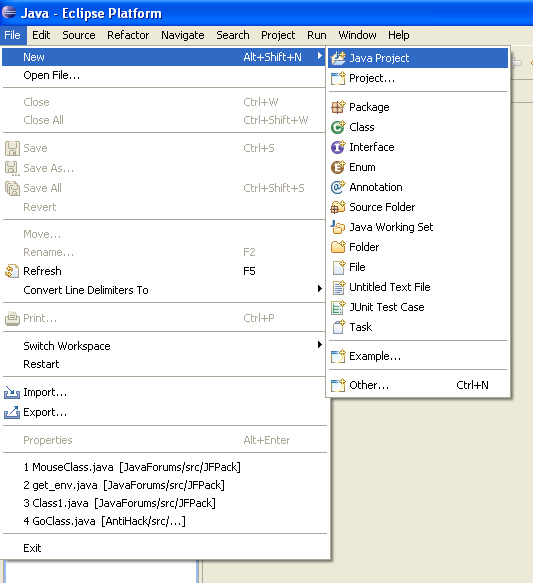
Click File > New > Java Project
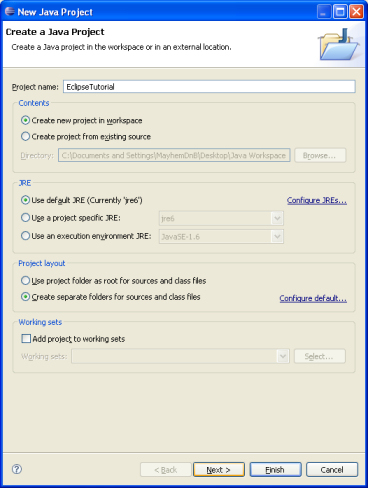
The 'Create a Java Project' box will popup.
Give your Project a name. In this case I have named it 'EclipseTutorial'
Click FINISH.
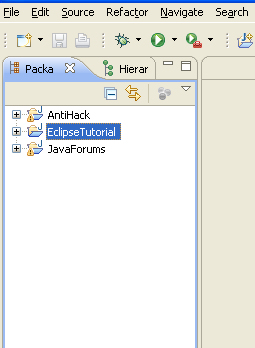
You have now setup your first project which will appear in the Package Explorer window.
Before we can begin to write any code, we must first add a Package which will contain all our project files.
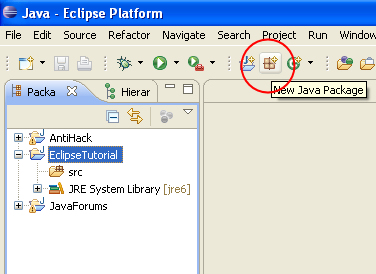
Make sure your new project is highlighted and click the 'New Java Package' icon.
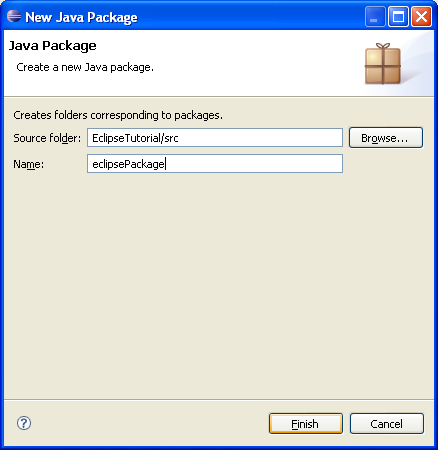
Give your package a name relevant to your project.
Click FINISH
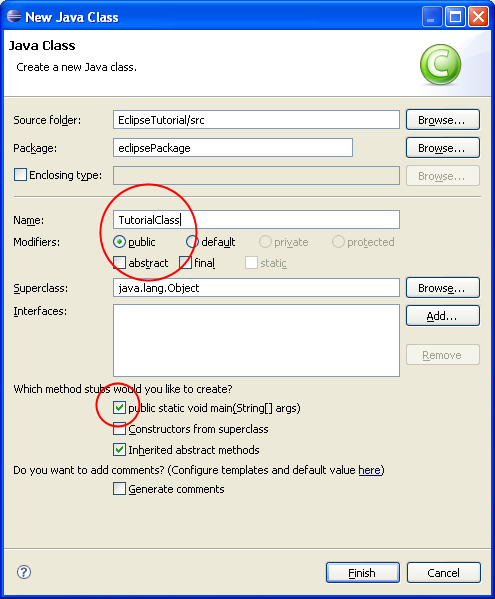
Now your Package has been created we need to add a Class file. Make sure the Package is highlighted by clicking it once and then click the 'New Java Class' icon.
The Create a New Java Class box will popup.
Give your Class a name and tick the public static void main(String[] args) box.
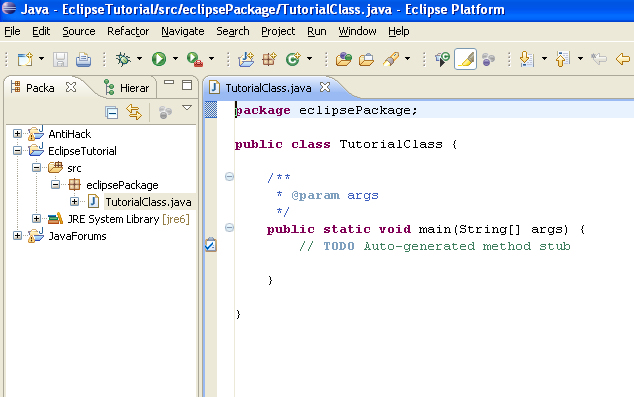
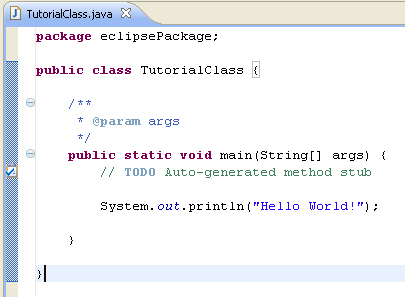
Your Class will now appear in the Workspace and you are ready to start writing code!
Here I have wrote a simple Hello World application which will print the words into the console.
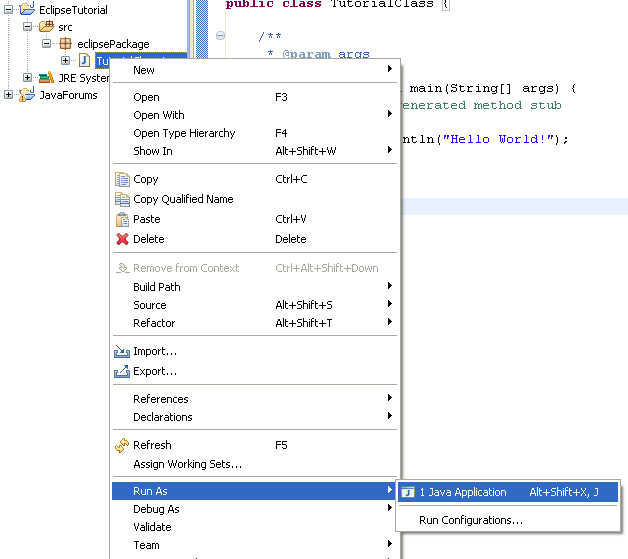
To Run your Java project. Right click the 'TutorialClass.java' file in the Package Explorer window, then click Run As > Java Application
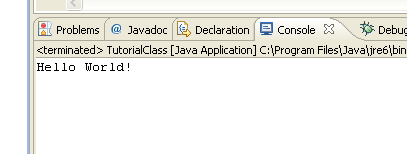
The output will now be displayed in the console.
Congratulations! You have just wrote your first Java application in Eclipse!!
Once you are familiar with Eclipse, you will find this next thread very helpful:
Useful Eclipse Shortcut Keys



 by clicking the
  button on their useful posts.
 Reply With Quote
 Related threads:


 Re: Beginners Eclipse Tutorial. How to run your first Eclipse Java Application.
 Originally Posted by sundarjothi


